ATM Near Me
The quickest way to find an ATM is your bank’s app locator, then a network locator such as Allpoint or MoneyPass, then a map app for what’s open right now. To avoid fees, stick to your own bank’s machines or a surcharge-free network your card belongs to, and read the fee screen before you confirm.
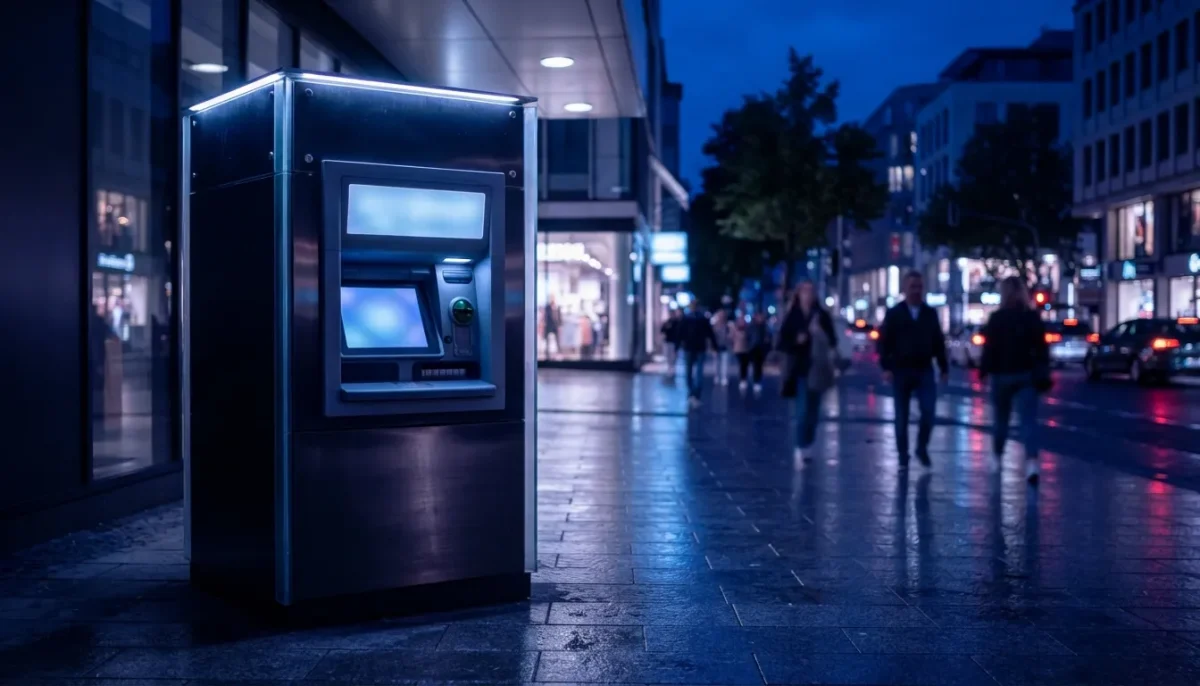
Need cash late at night? Look for an outdoor, wall-mounted or standalone machine, or a drive-up lane. Machines inside a branch lobby, a store or a mall usually follow the building’s hours, even if the ATM itself never switches off. Details are in ATMs open 24 hours below.
Pick the machine before you walk: a free ATM two blocks further is cheaper than a gas-station machine next door. Filter for 24-hour or deposit-enabled machines if you need them.
The short version
- Search your bank’s app first, then Allpoint or MoneyPass if your card is in one of them.
- A pin on a map shows that a machine exists, not what it costs.
- Read the fee screen. You can usually cancel before you’re charged.
- Hours, fees and limits vary by bank, so confirm with yours.
ATM machine near me
Tap a pin on the map to see the address and, where listed, opening hours. A pin only tells you a machine exists. It doesn’t tell you what it will cost you, which is why the next section matters.
How to find an ATM, step by step
- Start with your bank’s app. Most banks and many credit unions have a locator that lists their own machines and partner machines. Some let you filter for surcharge-free ones only.
- Try a network locator. Allpoint (allpointnetwork.com) and MoneyPass (moneypass.com) both let you search by zip code or city. Many credit unions and online banks join one of them, so check which one your card belongs to. Our guide to surcharge-free ATM networks explains how they differ.
- Use a map app for hours and distance. Search “ATM” or “drive-thru ATM” in your map app to see what’s open now. Treat it as a starting point and confirm the machine’s owner on the screen before you insert your card.
- Look for the logo on the machine. The stickers for Allpoint, MoneyPass, Visa or Mastercard (Plus and Cirrus) show which networks it accepts. A logo alone doesn’t mean free: your own bank decides what it charges.
Looking for a particular bank? Our locator pages show branches and ATMs for Bank of America and Chase, plus several other big names listed below. Regional banks such as Huntington publish their own locators on their websites. If you’re not sure which branch is closest or open, here is how to find the closest bank branch.
- Wells Fargo — Branch and ATM locations for Wells Fargo.
- TD Bank — Branch and ATM locations for TD Bank.
- PNC — Branch and ATM locations for PNC.
- Banking guides — More on fees, accounts and finding branches.
Types of ATMs people search for
- Allpoint ATM: machines in the Allpoint surcharge-free network, often found in retail stores and pharmacies. It only helps if your bank participates.
- No-surcharge (free) ATM: the operator adds no fee. Your own bank may still charge one, so check your account terms.
- Drive-thru ATM: reachable from your car, usually at a branch.
- 24-hour ATM: available around the clock, though the lobby it sits in may close at night.
- Gas station and convenience-store ATM: very handy, and often the most expensive option.
- Bitcoin ATM: a kiosk that sells crypto for cash. It works very differently from a bank ATM (see below).
ATMs open 24 hours
The machine may run all night while the room around it doesn’t. A bank ATM in a branch lobby can be locked out after closing, and a machine inside a store is only reachable while the store is open.
Outdoor and standalone machines are the most dependable at night. A wall-mounted ATM on the outside of a branch is typically available around the clock, weekends and holidays included, though that’s a pattern and not a rule. Drive-up lanes are where banks differ most: some list them as 24/7, others close them in the late evening.
Here is a quick checklist before you head out after dark.
- Open the locator filter. In your bank’s app or site, choose “24 hours”, “open now” or “drive-up”. Not every bank offers each filter.
- Prefer outdoor or standalone machines. Wall-mounted units and freestanding kiosks don’t depend on a building’s door being unlocked.
- Treat lobby machines with suspicion. Many follow branch hours. Some branches keep a vestibule open with a card swipe at the door, so bring your debit card and check the sign on the door.
- Check what the store does. A machine in a pharmacy, grocery or mall is only as late as the store. A 24-hour supermarket or gas station works; a mall corridor doesn’t.
- Look at the drive-up hours separately. Don’t assume a drive-up lane runs all night because the lobby ATM does, or the other way around.
- Expect fees at gas stations and convenience stores. These are the likeliest late-night options and often a third-party owner. Read the fee screen, or compare with the ATM fee calculator.
- Have a backup. Even 24-hour machines go offline for restocking or software updates, and some banks have shortened overnight access at individual city branches. Note a second machine nearby.
- Don’t count on a late-night deposit posting at once. Cash and checks put in after the cut-off are usually credited the next business day. Your bank’s deposit cut-off time will tell you.
- Stay safe. Pick a well-lit, busy spot and read our guide to spotting an ATM skimmer first.
Branch counters are a different matter. For when staffed branches open and close, see bank hours and holidays or banks near me open today.
ATMs that accept tap to pay
Some newer machines have a contactless symbol, and you tap a card or phone instead of inserting a card. Support depends on the machine and on your bank, so not every ATM with the symbol will work with your wallet.
Many big banks, including Chase, Bank of America and Wells Fargo, have rolled out contactless access at some of their ATMs. Often you start the withdrawal in your banking app, then tap. Check your bank’s app or site for which machines support it.
ATMs that dispense $5 or $10 bills
Whether a machine gives $5 or $10 bills depends on the machine and its operator, and most locators can’t search for it. Most ATMs load $20s only, and two machines from the same bank can be set up differently.
Your best options are to ask the bank or branch, or to go inside and ask a teller. Or buy something small at a store and ask for cash back, which gets you smaller bills without an ATM fee.
ATMs at gas stations, CVS and Dollar General
Gas stations, convenience stores and many drugstores and dollar stores host ATMs. They’re everywhere and often open late, but the owner is usually a third-party operator, not a bank.
Whether you pay depends on who runs the machine and whether your bank is in its network. A pharmacy machine in the Allpoint network can be free for participating cards, while a standalone machine at a gas station often adds a fee. Same chain, different machines, so read the fee screen each time. Use the ATM fee calculator to see what a withdrawal really costs.
ATMs at airports
Airport ATMs often charge higher fees than machines in town, because the operator pays for a prime spot. Fees vary by airport and operator, and we don’t have a reliable national figure.
If you can, take cash out before you head to the airport, or use your bank’s own machine. Where you can’t, withdraw once and keep the amount sensible. If a foreign machine offers to convert the amount to dollars, decline it (see “Using an ATM abroad” below).
What an ATM will cost you
Using your own bank’s machine is normally free. Using someone else’s can cost you twice: once from the ATM owner and once from your bank.
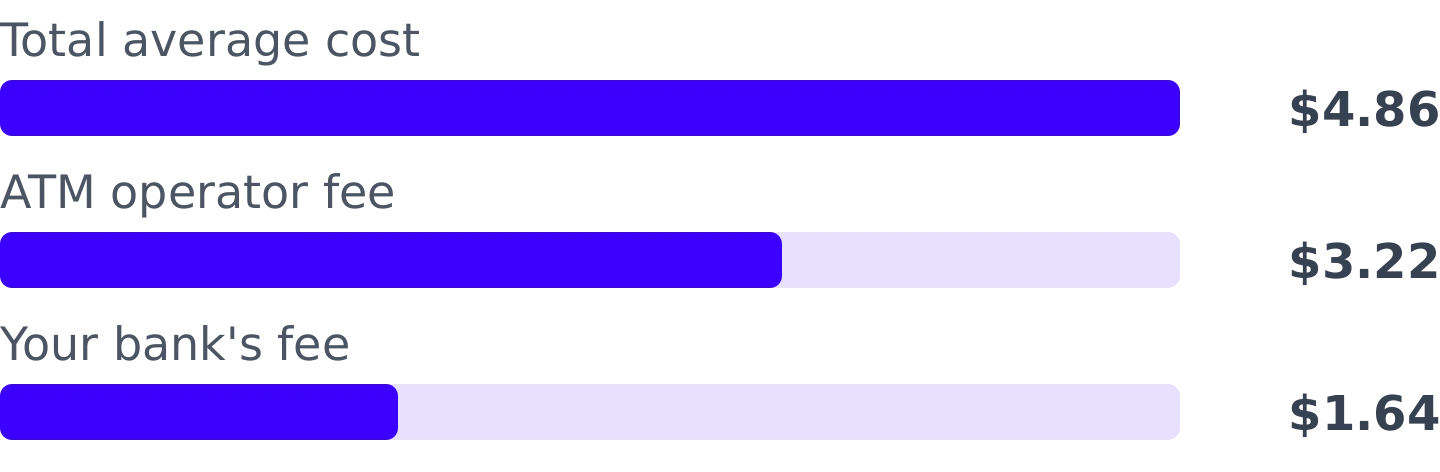
Bankrate’s September 2025 survey put the average out-of-network withdrawal at $4.86 in total, made up of about $3.22 from the ATM operator and $1.64 from the customer’s own bank. That was the latest figure we found as of November 2026, and your bank’s fee schedule may differ. In the same survey, about 39% of the banks and accounts checked charged their own customers nothing for out-of-network use.
A $60 withdrawal, worked out
You withdraw $60 at a store ATM that charges $3.50, and your bank adds $2.00. You’ve paid $5.50 (as of November 2026, example only) to get $60, which is more than 9% of the cash.
To run your own numbers, try the ATM fee calculator.
- Check your account’s fee schedule for out-of-network and foreign ATM fees.
- Ask whether your bank refunds ATM fees. Some accounts do, up to a monthly limit.
- Take out a larger amount once instead of several small ones.
- If a machine shows a fee on screen, you can usually cancel at that point without being charged.
Limits and deposits
Daily withdrawal limits are set by your bank, not the ATM, and many sit in the few-hundred-dollar range. The limit varies by account type and card, so look in your app or call the bank to confirm yours.
Deposits are the other thing to check before you go. Many bank-owned ATMs accept cash and checks, while most third-party and network machines only dispense cash. If you need to deposit, use your bank’s own ATM or visit a branch, and use the locator filter for deposit-enabled machines. Our step-by-step on how to deposit cash at an ATM walks through what to expect. The comparison in online bank or local branch explains who still needs a branch for cash.
ATM safety
Choose a well-lit, busy machine, preferably one inside a bank lobby or branch. At night, a drive-thru is often the safer pick.
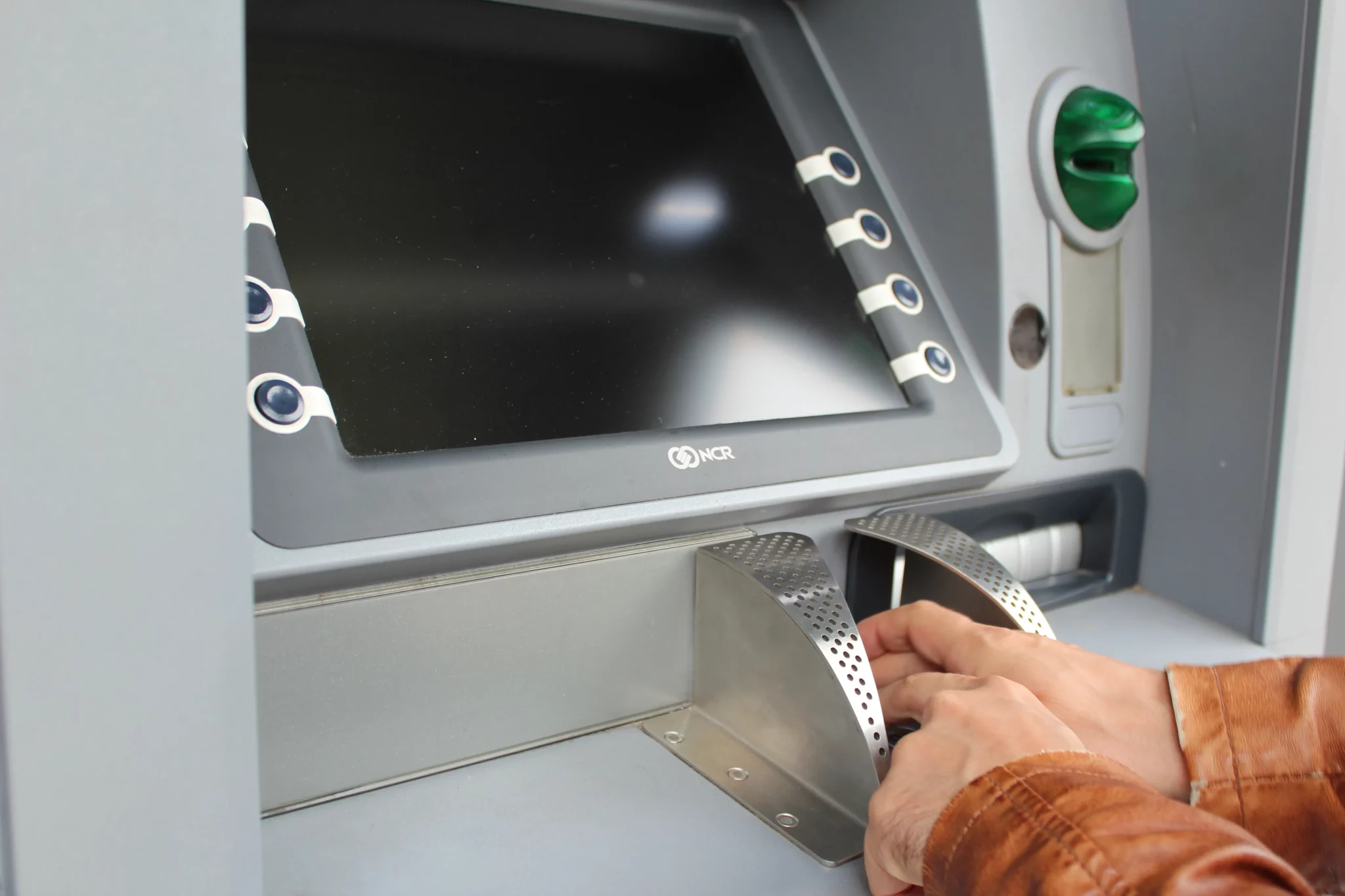
- Shield the keypad with your hand when you enter your PIN.
- Look at the card slot. If it’s loose, crooked, or has glue marks, or the card goes in roughly, walk away and tell the bank.
- Skip the machine if anything looks added on, such as a bulky keypad overlay.
- Take your card, cash and receipt before you step away.
- Check your account for odd small charges for a few days. If something looks wrong, report it to your bank right away.
Chip cards and tapping a phone or card are generally harder to copy than swiping. For photos-level detail, see how to spot an ATM skimmer.
Bitcoin ATMs
A Bitcoin ATM is not a bank machine. You put in cash and receive crypto, usually sent to a wallet address you provide, and fees are often much higher than at a bank ATM. Crypto prices swing, and transfers usually can’t be reversed, so you can lose money. Never send crypto to someone who contacted you and told you to use a Bitcoin ATM. Our Bitcoin ATM page has the map and a comparison with regular ATMs.
Using an ATM abroad
Foreign ATMs often charge their own fee, your bank may add a foreign transaction fee, and you may be asked to pay in dollars or local currency. Choose the local currency, since the dollar option usually brings a worse exchange rate. Tell your bank you’re travelling if it asks you to, and ask what it charges abroad before you go. Allpoint has some machines outside the US, but coverage varies by country.
Data sources
- Bankrate — ATM fees hit record high for third consecutive year — Average out-of-network ATM cost of $4.86, 2025 study.
- Bankrate — Checking account and ATM fee survey — Split into operator fee ($3.22) and own-bank fee ($1.64), and the share of banks with no out-of-network fee, 2025.
Cash App Card at ATMs
The Cash App Card works at most ATMs that take Visa debit cards. As of November 2026, Cash App’s help pages list a $2.50 fee per withdrawal, and the ATM owner can add its own charge on top.
Cash App says some customers, for example those who receive qualifying direct deposits, can get fees waived or reimbursed, with limits. The in-app ATM finder is the quickest way to look for a machine. Confirm current fees and your eligibility with Cash App before you withdraw.
Chime card at ATMs
Chime’s fee schedule lists out-of-network ATM withdrawals at $2.50 each as of November 2026, and the machine’s owner may charge a separate fee. Free access applies to Chime’s partner networks, which the schedule names as MoneyPass (including machines in 7-Eleven stores), Allpoint and Visa Plus Alliance.
The Chime app has an ATM finder. Check the schedule in your app, because it can change.
EBT cards at ATMs
You can take cash from an EBT card only from cash benefits, such as TANF. SNAP food benefits can’t be withdrawn as cash.
Fees depend on your state. Some states allow a few free withdrawals, and the ATM owner may add a surcharge, which must be shown on screen. Your state’s EBT website or the number on the back of your card will tell you which ATMs and fees apply to you.
Direct Express card at ATMs
Treasury’s Direct Express program has offered one free ATM withdrawal with each federal deposit, with a per-withdrawal fee after that. We’ve seen $0.90 in Treasury materials, but couldn’t confirm the current amount as of November 2026.
Machines outside the network can add the owner’s surcharge. Confirm the current fee table and network ATMs with Direct Express before you withdraw.
Fees, limits, hours and availability vary by bank, card issuer and ATM operator. Confirm details with your bank or card issuer before you go. Figures are as of November 2026 unless stated otherwise.