How to Deposit Cash at an ATM (and When the Money Shows Up)
 Banks Near Me Writers | Updated
Cash you put into your own bank’s ATM is usually available the same or the next business day. Federal rules let a bank take up to the second business day for its own machines, and up to the fifth at ATMs it doesn’t own or operate. What decides it is whose machine you used, whether you beat the bank’s cutoff time, and whether your account or deposit trips a hold.
As for limits, most ATMs cap the number of bills per transaction (often 30 to 50) and some banks add a daily dollar cap. Both vary by bank, so check yours.
You’ve got a stack of twenties from a weekend market, a birthday card from your grandmother, or tips from a long shift, and the branch closed an hour ago. Most big-bank ATMs will take that cash, count it and credit your account without a teller in sight. The catch is that not every machine accepts deposits, and the money doesn’t always land the second the screen says “Thank you.”
Last reviewed: November 21, 2026.
Takeaways: cutoffs and holds
- Cutoffs commonly fall between 2 p.m. and 9 p.m. local time at the ATM (checked November 2026). Miss yours and the deposit counts as the next business day.
- Weekends and federal holidays aren’t business days.
- Your bank’s own ATM: the legal limit is the second business day, and many banks are faster.
- A machine your bank doesn’t own: up to the fifth business day is allowed.
- The receipt or app shows your actual availability date.
Checklist: how to avoid a hold or delay
Most holds are predictable. Run through this before you leave the house.
- Use your own bank’s ATM. Outside machines can take up to five business days, and many banks don’t allow deposits there at all.
- Confirm the machine takes cash. Filter your bank’s locator or app for deposit-capable ATMs so you don’t drive to a withdrawal-only machine.
- Look up your cutoff time. Deposit well before it, not at 7:58 p.m. for an 8 p.m. cutoff.
- Skip Fridays after the cutoff and the day before a holiday. The clock won’t start until the next business day.
- Prep the bills. Flatten, unfold and remove clips and receipts so the machine doesn’t reject them.
- Split big stacks. If you’re over the bill limit, run a second transaction instead of forcing it.
- Take large amounts to a teller. Cash handed to an employee must be available by the next business day, and you get a person who counts it with you.
- Be extra careful in a new account’s first 30 days. That’s when banks are most likely to extend holds.
- Keep the receipt until the money shows as available, not just pending.
First, find an ATM that takes deposits
This is where most people get tripped up. Plenty of ATMs are withdrawal-only: the one at the gas station, the one in the bar, most of the machines run by independent operators. Even some bank-branded ATMs inside grocery stores don’t have a deposit slot.
Deposit-capable machines tend to show up in a few places:
- Bank-owned ATMs at a branch. The most reliable option. The lobby or drive-up machine at your own bank almost always takes cash.
- Bank-owned ATMs away from a branch. Standalone machines in malls, campuses or stores can take deposits, but not all do. Check before you go.
- Some shared-network ATMs. A few networks, including Allpoint and MoneyPass, offer deposit service at selected machines in retail locations, and only for member banks and credit unions that have signed up (as of November 2026). Expect a slower release of funds than at your own bank’s machine.
Don’t guess from the logo on the machine. Use your own bank’s official branch and ATM locator or app, where you can usually filter for ATMs that accept deposits. Our ATM finder shows what’s nearby, but the bank’s own locator is the final word on which machines take cash.
- Chase — Find Chase branches and ATMs near you.
- Bank of America — Find Bank of America branches and ATMs near you.
- Wells Fargo — Find Wells Fargo branches and ATMs near you.
Online-only banks are a different story. Some partner with shared networks that let you deposit at certain machines, some send you to retail stores that load cash for a fee, and some simply don’t take cash at all. If cash is a regular part of your life, that’s worth weighing when you compare an online bank with a local branch.
Step by step at the machine
- Insert or tap your debit card and enter your PIN.
- Choose “Deposit” and pick the account: checking or savings. Double-check this one; it’s an easy slip.
- Prep your bills. Unfold them, flatten creased corners, and remove paper clips, rubber bands and receipts. Bills can usually face any direction on modern machines.
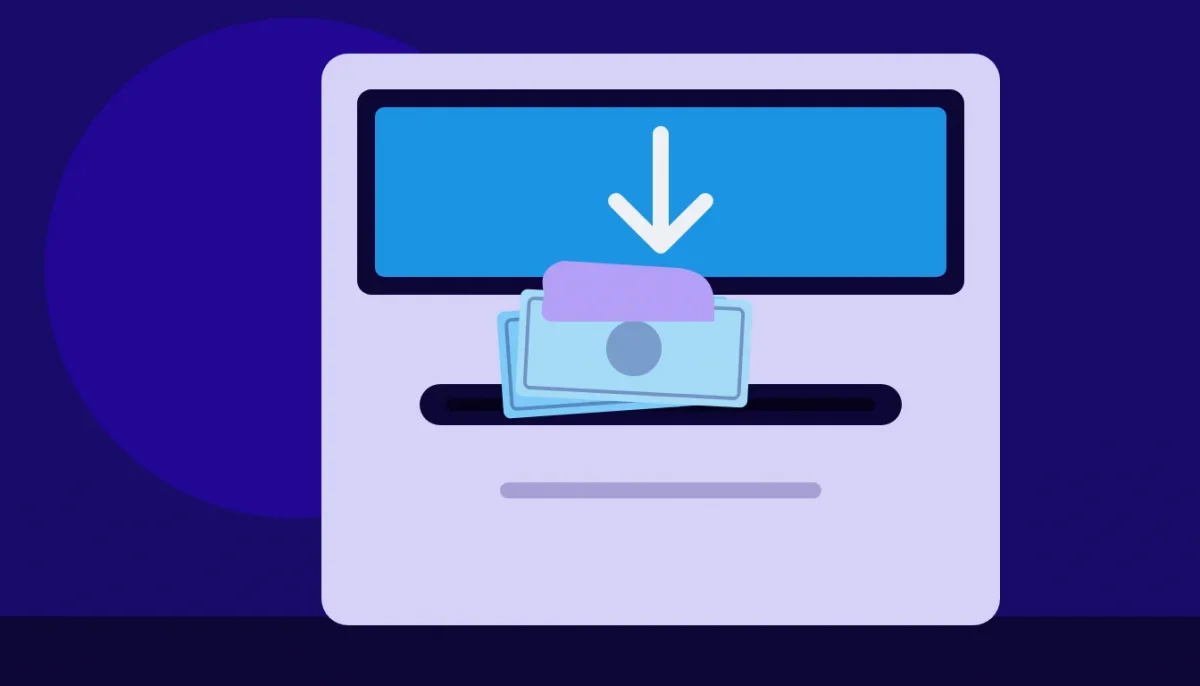
- Feed the stack into the slot when it opens. The ATM pulls the bills in, counts them and shows you a total by denomination.
- Confirm the amount. If the count is off, cancel and the machine should return the cash. If a bill gets rejected (too worn, torn, or an older design the scanner doesn’t like), it’ll be handed back to you.
- Take your receipt, or choose an emailed one. Keep it until the deposit shows up in your account.
Older ATMs that use deposit envelopes still exist here and there. With those, you write the amount on the envelope, key it in, and a bank employee verifies it later, which usually means the money takes longer to clear.
Don’t deposit coins at an ATM. Machines are built for paper bills only. For coins, use a teller, a coin-counting kiosk, or roll them yourself and bring them to the branch.
Cash deposit limits you might bump into
There are two kinds of limits: how many bills fit in one transaction, and how much a bank lets you deposit per day. There’s no federal cap on either.
Bill counts typically run between 30 and 50 per transaction. Wells Fargo, for one, lists up to 30 bills and checks per transaction (as reported November 2026; confirm with the bank). If you’ve got more, the machine will ask you to split the deposit, or you can simply run a second transaction. Some banks also set a daily dollar limit on ATM deposits, which varies by bank and account type, and a few limit how many transactions you can make in a day.
These are separate from ATM withdrawal limits, so having a high withdrawal cap doesn’t mean you can drop off a huge pile of cash.
For very large amounts, a teller is the better choice anyway. You get a person who counts the money in front of you and a clean record of the deposit. Also know that banks report cash transactions over $10,000 to the federal government; that’s routine paperwork, not an accusation of anything. Splitting a deposit to dodge that report is a different matter and can itself be a legal problem, so don’t do it.
Cutoff times: the line between “today” and “tomorrow”
Every bank sets a daily cutoff for ATM deposits. Make the deposit before it and the bank counts it as made that day. Make it after and it counts as the next business day. Per Bankrate’s guidance (checked November 2026), cutoffs commonly fall somewhere between 2 p.m. and 9 p.m. Federal rules don’t let a bank set an ATM cutoff earlier than noon. U.S. Bank, for example, lists 8 p.m. local time on its support pages, and TD lists 8 p.m. Eastern for cash. Your bank’s number may differ, so look it up instead of guessing.
Two details trip people up. Cutoffs usually follow the time at the ATM’s location, which matters if you travel across time zones. And weekends and holidays aren’t business days, so a Friday-night deposit after the cutoff is treated as arriving Monday, or Tuesday if Monday is a federal holiday. Our guide to bank hours and holidays covers which days count.
A quick example, using a hypothetical 8 p.m. cutoff: you deposit $300 at 7:30 p.m. on a Thursday in November 2026. It counts as Thursday’s deposit. At 8:30 p.m. it counts as Friday’s, so the clock starts a day later.
How long do ATM deposits take?
This depends on three things: whose ATM you used, what time you made the deposit, and your bank’s own policy. Federal rules set the maximum time a bank can hold your deposit, and many banks make cash available faster than the law requires. Some, such as Rockland Trust, say cash is available right after the deposit. U.S. Bank says the same for cash at its own branches and ATMs.
| Where you deposit | Typical availability |
|---|---|
| Your bank’s own ATM, before the cutoff time | Often the same day or the next business day; the legal maximum is the second business day |
| Your bank’s own ATM, after the cutoff or on a weekend | Counted as the next business day, then the usual timing applies |
| An ATM your bank doesn’t own or operate (partner or shared network) | Often a few business days; the legal maximum is the fifth business day, and some credit unions use it |
| Envelope-based ATM | Usually slower, since the deposit has to be verified by hand |
| Teller at a branch | Cash is available by the next business day at the latest, often sooner |
You’ll sometimes see the deposit appear in your app right away as “pending.” That’s just a record that the ATM received it; the “available balance” is what you can actually spend. Pending doesn’t mean the money is lost. Your receipt or app shows the availability date, and if the hold looks longer than your bank’s policy says, call the number on your card and ask why.
Want a quicker estimate for your own deposit? Try our ATM deposit funds checker.
Why a deposit gets held: what Regulation CC says
Regulation CC implements the Expedited Funds Availability Act. For cash, the rule has layers. Cash handed in person to a bank employee must be available by the business day after the deposit. Cash deposited any other way, including at your own bank’s ATM, must be available by the second business day. At an ATM your bank doesn’t own or operate, the limit stretches to the fifth business day. Those are legal ceilings, not typical results.
Banks can also extend holds beyond those timelines in certain situations. They generally have to tell you when they do.
- A new account. Accounts open fewer than 30 days can see longer holds.
- A large deposit. Under the thresholds in effect since July 1, 2025, a bank may hold the part of your deposits above $6,725 in a single banking day (as of November 2026). Your bank’s own policy may kick in earlier.
- Repeated overdrafts or a history of returned deposits.
- A deposit the bank has reason to doubt.
If you’re opening a new account, the first weeks are when holds are most likely. Our checklist of what to bring when you open a bank account helps you start on the right foot.
Fees: what a deposit can cost at someone else’s ATM
At your own bank, depositing cash is normally free. Away from it, things get pricier, and many banks don’t take deposits at outside ATMs at all. Where they do, a fee or a longer hold can apply, so check your account terms first.
For a sense of scale, Bankrate’s 2025 survey put the average cost of using an out-of-network ATM at $4.86, made up of a $3.22 average surcharge from the machine’s owner plus a $1.64 average fee from your own bank. That figure is for withdrawals and balance checks, and it’s the latest we found as of November 2026. Deposit fees vary by bank, so treat it as a benchmark and not a promise.
The simple fix is to stay inside a surcharge-free network. Allpoint and MoneyPass both have locators for fee-free machines, though whether your bank participates, and whether deposits are supported, depends on your bank. Confirm with your bank before you rely on one.
When something goes wrong
ATMs jam. Screens freeze mid-count. If the machine takes your cash and doesn’t give you a receipt, or the amount credited doesn’t match what you put in, don’t walk away and hope it sorts itself out.
- Note the ATM location, the time, and the exact amount.
- Call the number on the back of your card or on the machine right away, or go inside if it’s a branch ATM.
- Ask for a claim or dispute number and write it down.
Banks balance their ATMs regularly, so an overage in the machine usually turns up and gets matched to your claim. Federal rules give you the right to dispute electronic transfer errors, and the Consumer Financial Protection Bureau explains how that process works if your bank drags its feet.
One last habit worth picking up: glance at the card slot and keypad before you use any machine, deposit or not. It takes two seconds, and our piece on spotting ATM skimmers shows you exactly what to look for.
Availability times, cutoffs, limits and fees differ by bank and change over time. Check your bank’s current disclosure for the rules that apply to your account.
Data sources
- eCFR — 12 CFR Part 229 (Regulation CC), Subpart B — The official rule on funds availability, including the next-day and second-business-day cash rules (current text, reviewed November 2026).
- Federal Reserve — Regulation CC Compliance Guide — Plain-language explanation of the funds availability rules and exceptions.
- HelpWithMyBank.gov — Funds availability exceptions — Why banks may extend holds: new accounts, large deposits and repeated overdrafts.
- CFPB — What is a deposit hold? — Consumer explanation of deposit holds and hold notices.
FAQ
What is the ATM cash deposit limit?
No federal law sets one. Each bank decides, usually as a bill count per transaction (often 30 to 50 bills) and sometimes a daily dollar cap by account type. Look in your account agreement or ask the bank. For large sums, use a teller.
Why is my deposit on hold?
Common reasons: you deposited after the cutoff, the ATM belongs to another bank, the account is new, or the amount is large. Overdraft history can also trigger one. Check the availability date on your receipt or in your app, then compare it with your bank’s funds availability policy.
Can I deposit cash without an envelope?
Usually yes. Most current deposit ATMs take loose bills and count them on the spot. Some older machines still want an envelope, and the screen will tell you. Envelope deposits are checked by hand, so they clear more slowly.
Can I use my bank’s card at another bank’s ATM to deposit cash?
Often not. Many banks don’t allow deposits at outside machines, and those that do may add a fee or a longer hold. Shared networks such as Allpoint and MoneyPass support deposits only at selected machines, for participating banks.
What if the amount credited is wrong?
Contact your bank the same day with the ATM location, time and amount, and ask for a claim number. Keep your receipt. If the bank doesn’t resolve it, the Consumer Financial Protection Bureau accepts complaints.